





English | [简体中文](docs/README_zh-CN.md) | [繁體中文](docs/README_zh-TW.md) | [日本語](docs/README_ja-JP.md) | [한국어](docs/README_ko-KR.md) PDF2ZH

PDFMathTranslate

Byaidu%2FPDFMathTranslate | Trendshift
PDF scientific paper translation and bilingual comparison. - 📊 Preserve formulas, charts, table of contents, and annotations _([preview](#preview))_. - 🌐 Support [multiple languages](#language), and diverse [translation services](#services). - 🤖 Provides [commandline tool](#usage), [interactive user interface](#gui), and [Docker](#docker) Feel free to provide feedback in [GitHub Issues](https://github.com/Byaidu/PDFMathTranslate/issues) or [Telegram Group](https://t.me/+Z9_SgnxmsmA5NzBl). For details on how to contribute, please consult the [Contribution Guide](https://github.com/Byaidu/PDFMathTranslate/wiki/Contribution-Guide---%E8%B4%A1%E7%8C%AE%E6%8C%87%E5%8D%97).

Updates

- [Dec. 24 2024] The translator now supports local models on [Xinference](https://github.com/xorbitsai/inference) _(by [@imClumsyPanda](https://github.com/imClumsyPanda))_ - [Dec. 19 2024] Non-PDF/A documents are now supported using `-cp` _(by [@reycn](https://github.com/reycn))_ - [Dec. 13 2024] Additional support for backend by _(by [@YadominJinta](https://github.com/YadominJinta))_ - [Dec. 10 2024] The translator now supports OpenAI models on Azure _(by [@yidasanqian](https://github.com/yidasanqian))_

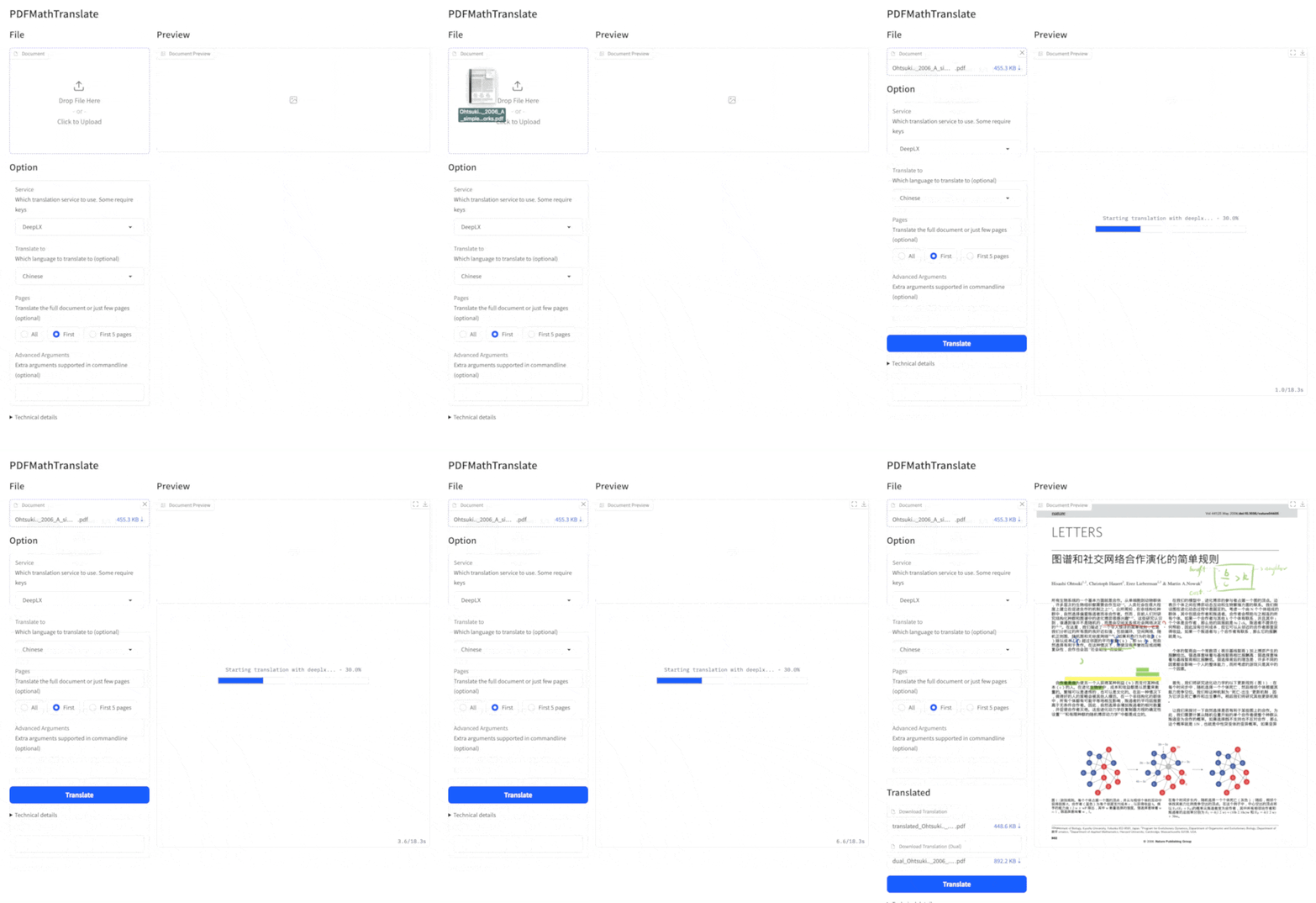
Preview

Online Service 🌟

You can try our application out using either of the following demos: - [Public free service](https://pdf2zh.com/) online without installation _(recommended)_. - [Demo hosted on HuggingFace](https://huggingface.co/spaces/reycn/PDFMathTranslate-Docker) - [Demo hosted on ModelScope](https://www.modelscope.cn/studios/AI-ModelScope/PDFMathTranslate) without installation. Note that the computing resources of the demo are limited, so please avoid abusing them.

Installation and Usage

### Methods For different use cases, we provide distinct methods to use our program:
1. Commandline 1. Python installed (3.8 <= version <= 3.12) 2. Install our package: ```bash pip install pdf2zh ``` 3. Execute translation, files generated in [current working directory](https://chatgpt.com/share/6745ed36-9acc-800e-8a90-59204bd13444): ```bash pdf2zh document.pdf ```
2. Portable (w/o Python installed) 1. Download [setup.bat](https://raw.githubusercontent.com/Byaidu/PDFMathTranslate/refs/heads/main/script/setup.bat) 2. Double-click to run. ```shell # 使用 setup.bat 是通过 python便携版安装库,便携版相比完整版会少一些 VC++ 依赖,导致错误:ImportError: DLL load failed while importing _extra: 找不到指定的模块 # 通过conda 安装的 python 环境,看到搜索路径 right path: ['J:\\code\\pdf2zh_fuck\\PDFMathTranslate', 'G:\\program\\micromamba\\envs\\pdf\\python312.zip', 'G:\\program\\micromamba\\envs\\pdf\\DLLs', 'G:\\program\\micromamba\\envs\\pdf\\Lib', 'G:\\program\\micromamba\\envs\\pdf', 'C:\\Users\\mg\\AppData\\Roaming\\Python\\Python312\\site-packages', 'C:\\Users\\mg\\AppData\\Roaming\\Python\\Python312\\site-packages\\win32', 'C:\\Users\\mg\\AppData\\Roaming\\Python\\Python312\\site-packages\\win32\\lib', 'C:\\Users\\mg\\AppData\\Roaming\\Python\\Python312\\site-packages\\Pythonwin', 'G:\\program\\micromamba\\envs\\pdf\\Lib\\site-packages'] # 通过便携版安装的 python 环境,搜索路径 wrong path: ['J:\\code\\pdf2zh_fuck\\pdf2zh_dist', 'J:\\code\\pdf2zh_fuck\\pdf2zh_dist\\python312.zip', 'C:\\Users\\mg\\AppData\\Roaming\\Python\\Python312\\site-packages', 'C:\\Users\\mg\\AppData\\Roaming\\Python\\Python312\\site-packages\\win32', 'C:\\Users\\mg\\AppData\\Roaming\\Python\\Python312\\site-packages\\win32\\lib', 'C:\\Users\\mg\\AppData\\Roaming\\Python\\Python312\\site-packages\\Pythonwin', 'J:\\code\\pdf2zh_fuck\\pdf2zh_dist\\Lib\\site-packages'] ```
3. Graphic user interface 1. Python installed (3.8 <= version <= 3.12) 2. Install our package: ```bash pip install pdf2zh ``` 3. Start using in browser: ```bash pdf2zh -i ``` 4. If your browswer has not been started automatically, goto ```bash http://localhost:7860/ ``` See [documentation for GUI](./docs/README_GUI.md) for more details.
4. Docker 1. Pull and run: ```bash docker pull byaidu/pdf2zh docker run -d -p 7860:7860 byaidu/pdf2zh ``` 2. Open in browser: ``` http://localhost:7860/ ``` For docker deployment on cloud service:
Deploy Deploy to Koyeb Deploy on Zeabur Deploy to Koyeb
5. Zotero Plugin See [Zotero PDF2zh](https://github.com/guaguastandup/zotero-pdf2zh) for more details.
6. conda package ```shell conda create -n pdf_env python==3.12 -y conda activate pdf_env uv pip install . python -m pdf2zh.pdf2zh -i --config config.json --onnx .\onnx\doclayout_yolo_docstructbench_imgsz1024.onnx conda activate base conda install -c conda-forge conda-pack -y conda pack -n pdf_env -o pdf_env.tar.gz mkdir -p pdf_env tar -xzf pdf_env.tar.gz -C pdf_env .\pdf_env\Scripts\activate.bat pdf2zh exzample.pdf Remove-Item -Path pdf_env.tar.gz # Compress-Archive -Path run_gui.bat, pdf2zh, pdf_env, onnx, config.json -DestinationPath pdf_translator.zip 7z a -tzip pdf_translator.zip run_gui.bat pdf2zh pdf_env onnx config.json conda env remove --name pdf_env -y ```
### Unable to install? The present program needs an AI model(`wybxc/DocLayout-YOLO-DocStructBench-onnx`) before working and some users are not able to download due to network issues. If you have a problem with downloading this model, we provide a workaround using the following environment variable: ```shell set HF_ENDPOINT=https://hf-mirror.com ``` For PowerShell user: ```shell $env:HF_ENDPOINT = https://hf-mirror.com ``` If the solution does not work to you / you encountered other issues, please refer to [frequently asked questions](https://github.com/Byaidu/PDFMathTranslate/wiki#-faq--%E5%B8%B8%E8%A7%81%E9%97%AE%E9%A2%98).

Advanced Options

Execute the translation command in the command line to generate the translated document `example-mono.pdf` and the bilingual document `example-dual.pdf` in the current working directory. Use Google as the default translation service. More support translation services can find [HERE](https://github.com/Byaidu/PDFMathTranslate/blob/main/docs/ADVANCED.md#services). cmd In the following table, we list all advanced options for reference: | Option | Function | Example | | -------------- | ------------------------------------------------------------------------------------------------------------- | ---------------------------------------------- | | files | Local files | `pdf2zh ~/local.pdf` | | links | Online files | `pdf2zh http://arxiv.org/paper.pdf` | | `-i` | [Enter GUI](#gui) | `pdf2zh -i` | | `-p` | [Partial document translation](https://github.com/Byaidu/PDFMathTranslate/blob/main/docs/ADVANCED.md#partial) | `pdf2zh example.pdf -p 1` | | `-li` | [Source language](https://github.com/Byaidu/PDFMathTranslate/blob/main/docs/ADVANCED.md#languages) | `pdf2zh example.pdf -li en` | | `-lo` | [Target language](https://github.com/Byaidu/PDFMathTranslate/blob/main/docs/ADVANCED.md#languages) | `pdf2zh example.pdf -lo zh` | | `-s` | [Translation service](https://github.com/Byaidu/PDFMathTranslate/blob/main/docs/ADVANCED.md#services) | `pdf2zh example.pdf -s deepl` | | `-t` | [Multi-threads](https://github.com/Byaidu/PDFMathTranslate/blob/main/docs/ADVANCED.md#threads) | `pdf2zh example.pdf -t 1` | | `-o` | Output dir | `pdf2zh example.pdf -o output` | | `-f`, `-c` | [Exceptions](https://github.com/Byaidu/PDFMathTranslate/blob/main/docs/ADVANCED.md#exceptions) | `pdf2zh example.pdf -f "(MS.*)"` | | `-cp` | Compatibility Mode | `pdf2zh example.pdf --compatible` | | `--share` | Public link | `pdf2zh -i --share` | | `--authorized` | [Authorization](https://github.com/Byaidu/PDFMathTranslate/blob/main/docs/ADVANCED.md#auth) | `pdf2zh -i --authorized users.txt [auth.html]` | | `--prompt` | [Custom Prompt](https://github.com/Byaidu/PDFMathTranslate/blob/main/docs/ADVANCED.md#prompt) | `pdf2zh --prompt [prompt.txt]` | | `--onnx` | [Use Custom DocLayout-YOLO ONNX model] | `pdf2zh --onnx [onnx/model/path]` | | `--serverport` | [Use Custom WebUI port] | `pdf2zh --serverport 7860` | | `--dir` | [batch translate] | `pdf2zh --dir /path/to/translate/` | | `--config` | [configuration file](https://github.com/Byaidu/PDFMathTranslate/blob/main/docs/ADVANCED.md#cofig) | `pdf2zh --config /path/to/config/config.json` | | `--serverport` | [custom gradio server port] | `pdf2zh --serverport 7860` | For detailed explanations, please refer to our document about [Advanced Usage](./docs/ADVANCED.md) for a full list of each option.

Secondary Development (APIs)

For downstream applications, please refer to our document about [API Details](./docs/APIS.md) for futher information about: - [Python API](./docs/APIS.md#api-python), how to use the program in other Python programs - [HTTP API](./docs/APIS.md#api-http), how to communicate with a server with the program installed

TODOs

- [ ] Parse layout with DocLayNet based models, [PaddleX](https://github.com/PaddlePaddle/PaddleX/blob/17cc27ac3842e7880ca4aad92358d3ef8555429a/paddlex/repo_apis/PaddleDetection_api/object_det/official_categories.py#L81), [PaperMage](https://github.com/allenai/papermage/blob/9cd4bb48cbedab45d0f7a455711438f1632abebe/README.md?plain=1#L102), [SAM2](https://github.com/facebookresearch/sam2) - [ ] Fix page rotation, table of contents, format of lists - [ ] Fix pixel formula in old papers - [ ] Async retry except KeyboardInterrupt - [ ] Knuth–Plass algorithm for western languages - [ ] Support non-PDF/A files - [ ] Plugins of [Zotero](https://github.com/zotero/zotero) and [Obsidian](https://github.com/obsidianmd/obsidian-releases)

Acknowledgements

- Document merging: [PyMuPDF](https://github.com/pymupdf/PyMuPDF) - Document parsing: [Pdfminer.six](https://github.com/pdfminer/pdfminer.six) - Document extraction: [MinerU](https://github.com/opendatalab/MinerU) - Document Preview: [Gradio PDF](https://github.com/freddyaboulton/gradio-pdf) - Multi-threaded translation: [MathTranslate](https://github.com/SUSYUSTC/MathTranslate) - Layout parsing: [DocLayout-YOLO](https://github.com/opendatalab/DocLayout-YOLO) - Document standard: [PDF Explained](https://zxyle.github.io/PDF-Explained/), [PDF Cheat Sheets](https://pdfa.org/resource/pdf-cheat-sheets/) - Multilingual Font: [Go Noto Universal](https://github.com/satbyy/go-noto-universal)

Contributors

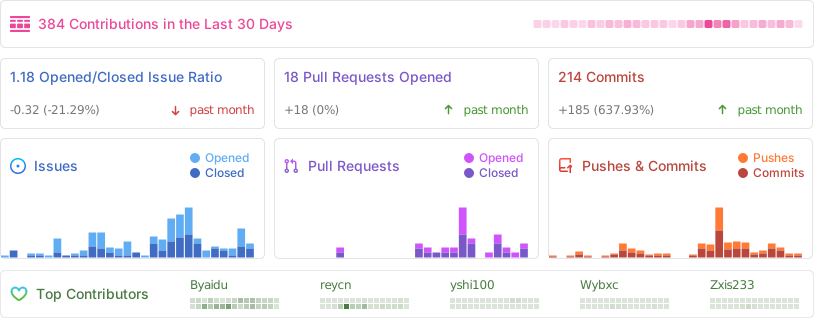
![Alt](https://repobeats.axiom.co/api/embed/dfa7583da5332a11468d686fbd29b92320a6a869.svg "Repobeats analytics image")

Star History

Star History Chart ### Development 根据 pyproject.toml 字段 [build-system] 得知,作者是用 hatch 开发本项目, https://github.com/pypa/hatch 不过为了使用习惯,我使用 poetry 开发本项目。 ```shell # 安装 python 环境 pyenv install 3.12.0 # 或者使用 mamba 安装 mamba create -n pdf python=3.12 -y mamba activate pdf # 如果系统没有 poetry ,请先安装 poetry 。推荐全局安装 https://python-poetry.org/docs/#installing-with-the-official-installer # 或者使用 pip 安装,仅在当前环境生效 pip install poetry # 根据 pyproject.toml 安装依赖 poetry install # 启动 poetry run pdf2zh # 根据配置文件启动 GUI poetry run pdf2zh -i --config .\config.json ```