





# Create new file
[English](../README.md) | [简体中文](README_zh-CN.md) | [繁體中文](README_zh-TW.md) | [日本語](README_ja-JP.md) | 한국어 PDF2ZH

PDFMathTranslate

Byaidu%2FPDFMathTranslate | Trendshift
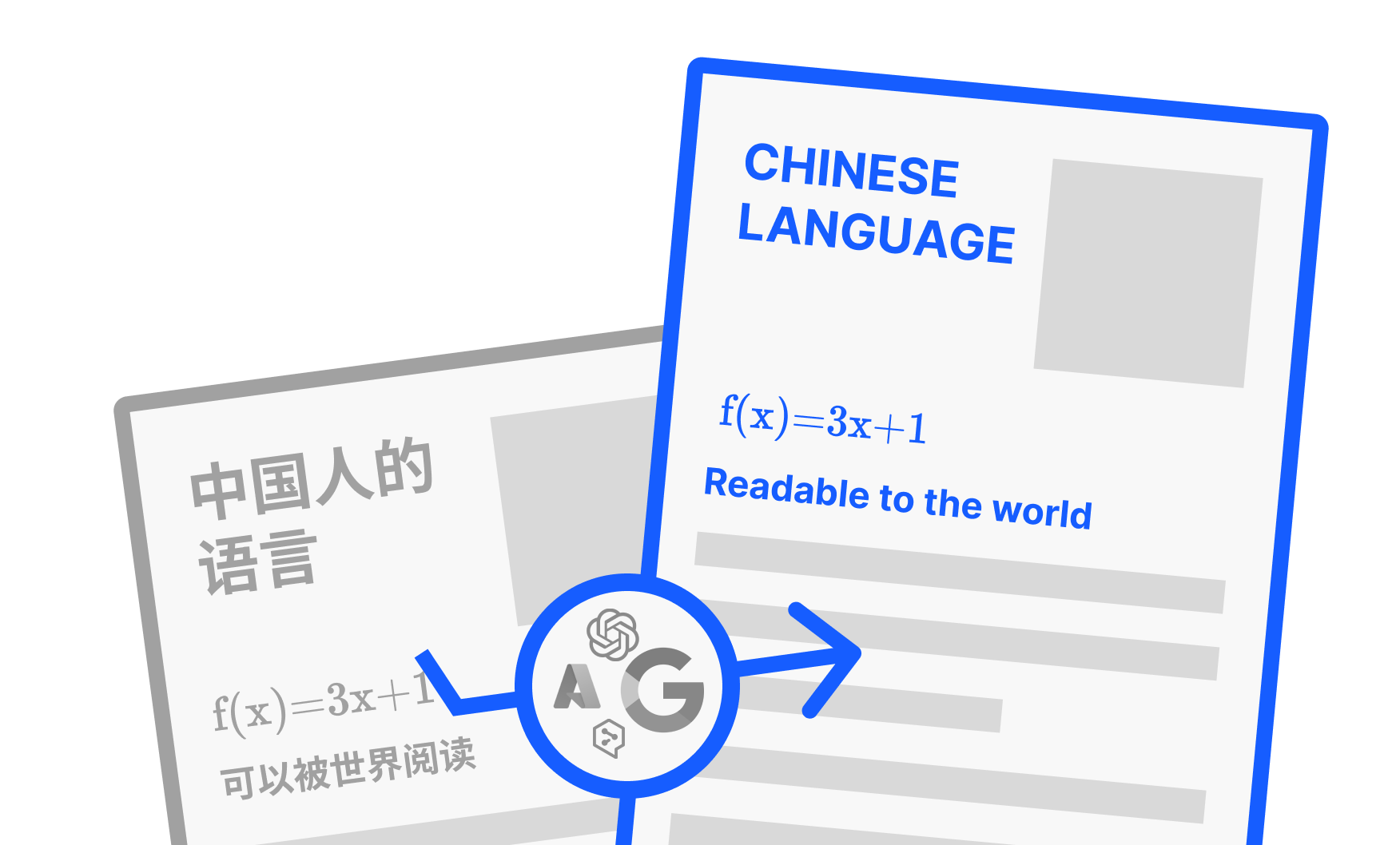
과학 PDF 문서 번역 및 이중 언어 비교 도구 - 📊 수식, 차트, 목차, 주석 유지 _([미리보기](#preview))_ - 🌐 [다양한 언어](#language)와 [다양한 번역 서비스](#services) 지원 - 🤖 [커맨드라인 도구](#usage), [대화형 사용자 인터페이스](#gui), 및 [Docker](#docker) 제공 피드백은 [GitHub Issues](https://github.com/Byaidu/PDFMathTranslate/issues) 또는 [Telegram 그룹](https://t.me/+Z9_SgnxmsmA5NzBl)에서 해주세요.

최근 업데이트

- [2024년 12월 24일] [Xinference](https://github.com/xorbitsai/inference) 실행 로컬 LLM 지원 추가 _(by [@imClumsyPanda](https://github.com/imClumsyPanda))_ - [2024년 11월 26일] CLI가 온라인 파일을 지원하게 되었습니다 _(by [@reycn](https://github.com/reycn))_ - [2024년 11월 24일] 의존성 크기를 줄이기 위해 [ONNX](https://github.com/onnx/onnx) 지원 추가 _(by [@Wybxc](https://github.com/Wybxc))_ - [2024년 11월 23일] 🌟 [무료 공공 서비스](#demo) 온라인! _(by [@Byaidu](https://github.com/Byaidu))_ - [2024년 11월 23일] 웹 봇을 방지하기 위한 방화벽 추가 _(by [@Byaidu](https://github.com/Byaidu))_ - [2024년 11월 22일] GUI가 이탈리아어를 지원하고 개선되었습니다 _(by [@Byaidu](https://github.com/Byaidu), [@reycn](https://github.com/reycn))_ - [2024년 11월 22일] 배포된 서비스를 다른 사람과 공유할 수 있게 되었습니다 _(by [@Zxis233](https://github.com/Zxis233))_ - [2024년 11월 22일] Tencent 번역 지원 _(by [@hellofinch](https://github.com/hellofinch))_ - [2024년 11월 21일] GUI가 이중 언어 문서 다운로드를 지원하게 되었습니다 _(by [@reycn](https://github.com/reycn))_ - [2024년 11월 20일] 🌟 [데모](#demo)가 온라인이 되었습니다! _(by [@reycn](https://github.com/reycn))_

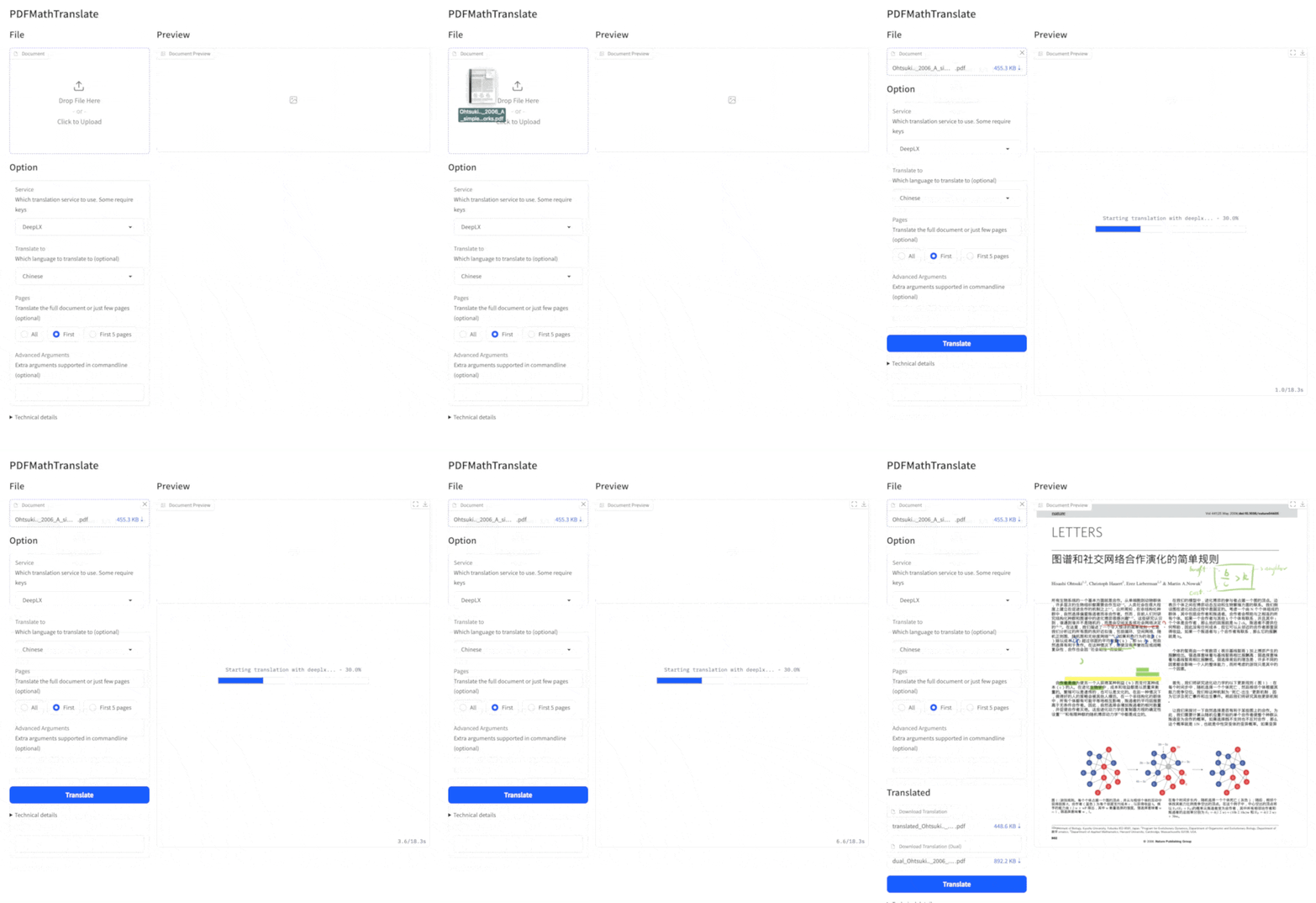
미리보기

공공 서비스 🌟

### 무료 서비스 () 설치 없이 [무료 공공 서비스](https://pdf2zh.com/)를 온라인으로 사용해 볼 수 있습니다. ### 데모 설치 없이 [HuggingFace의 데모](https://huggingface.co/spaces/reycn/PDFMathTranslate-Docker)와 [ModelScope의 데모](https://www.modelscope.cn/studios/AI-ModelScope/PDFMathTranslate)를 사용해 볼 수 있습니다. 데모의 컴퓨팅 리소스가 제한되어 있으므로 남용하지 말아주세요.

설치 및 사용법

이 프로젝트를 사용하는 4가지 방법을 제공합니다: [커맨드라인 도구](#cmd), [포터블](#portable), [GUI](#gui), 및 [Docker](#docker). pdf2zh 실행에는 추가 모델(`wybxc/DocLayout-YOLO-DocStructBench-onnx`)이 필요합니다. 이 모델은 ModelScope에서도 찾을 수 있습니다. 시작할 때 이 모델 다운로드에 문제가 있다면 다음 환경 변수를 사용하세요: ```shell set HF_ENDPOINT=https://hf-mirror.com ``` PowerShell 사용자의 경우: ```shell $env:HF_ENDPOINT = https://hf-mirror.com ```

방법 1. 커맨드라인 도구

1. Python이 설치되어 있어야 합니다 (버전 3.8 <= 버전 <= 3.12) 2. 패키지를 설치합니다: ```bash pip install pdf2zh ``` 3. 번역을 실행하고 [현재 작업 디렉토리](https://chatgpt.com/share/6745ed36-9acc-800e-8a90-59204bd13444)에 파일을 생성합니다: ```bash pdf2zh document.pdf ```

방법 2. 포터블

Python 환경을 미리 설치할 필요가 없습니다. [setup.bat](https://raw.githubusercontent.com/Byaidu/PDFMathTranslate/refs/heads/main/script/setup.bat)을 다운로드하고 더블클릭하여 실행합니다.

방법 3. GUI

1. Python이 설치되어 있어야 합니다 (버전 3.8 <= 버전 <= 3.12) 2. 패키지를 설치합니다: ```bash pip install pdf2zh ``` 3. 브라우저에서 사용을 시작합니다: ```bash pdf2zh -i ``` 4. 브라우저가 자동으로 시작되지 않으면 다음 URL을 엽니다: ```bash http://localhost:7860/ ``` 자세한 내용은 [GUI 문서](./README_GUI.md)를 참조하세요.

방법 4. Docker

1. 풀하고 실행합니다: ```bash docker pull byaidu/pdf2zh docker run -d -p 7860:7860 byaidu/pdf2zh ``` 2. 브라우저에서 엽니다: ``` http://localhost:7860/ ``` 클라우드 서비스에서 Docker 배포용:
Deploy Deploy to Koyeb Deploy on Zeabur Deploy to Koyeb

고급 옵션

커맨드라인에서 번역 명령을 실행하여 현재 작업 디렉토리에 번역된 문서 `example-mono.pdf`와 이중 언어 문서 `example-dual.pdf`를 생성합니다. 기본적으로 Google 번역 서비스를 사용합니다. 더 많은 지원 번역 서비스는 [여기](https://github.com/Byaidu/PDFMathTranslate/blob/main/docs/ADVANCED.md#services)에서 찾을 수 있습니다. cmd 다음 표에 참고용으로 모든 고급 옵션을 나열했습니다: | 옵션 | 기능 | 예시 | | -------------- | ---------------------------------------------------------------------------------------------------------------- | ---------------------------------------------- | | files | 로컬 파일 | `pdf2zh ~/local.pdf` | | links | 온라인 파일 | `pdf2zh http://arxiv.org/paper.pdf` | | `-i` | [GUI 진입](#gui) | `pdf2zh -i` | | `-p` | [부분 문서 번역](#partial) | `pdf2zh example.pdf -p 1` | | `-li` | [소스 언어](#languages) | `pdf2zh example.pdf -li en` | | `-lo` | [대상 언어](#languages) | `pdf2zh example.pdf -lo zh` | | `-s` | [번역 서비스](#services) | `pdf2zh example.pdf -s deepl` | | `-t` | [멀티스레드](#threads) | `pdf2zh example.pdf -t 1` | | `-o` | 출력 디렉토리 | `pdf2zh example.pdf -o output` | | `-f`, `-c` | [예외](#exceptions) | `pdf2zh example.pdf -f "(MS.*)"` | | `--share` | [gradio 공개 링크 얻기] | `pdf2zh -i --share` | | `--authorized` | [[웹 인증 및 사용자 정의 인증 페이지 추가](https://github.com/Byaidu/PDFMathTranslate/blob/main/docs/ADVANCED.)] | `pdf2zh -i --authorized users.txt [auth.html]` | | `--prompt` | [사용자 정의 대형 모델 프롬프트 사용] | `pdf2zh --prompt [prompt.txt]` | | `--onnx` | [사용자 정의 DocLayout-YOLO ONNX 모델 사용] | `pdf2zh --onnx [onnx/model/path]` | | `--serverport` | [사용자 정의 WebUI 포트 사용] | `pdf2zh --serverport 7860` | | `--dir` | [배치 번역] | `pdf2zh --dir /path/to/translate/` | | `--config` | [구성 파일](https://github.com/Byaidu/PDFMathTranslate/blob/main/docs/ADVANCED.md#cofig) | `pdf2zh --config /path/to/config/config.json` |

전체 또는 부분 문서 번역

- **전체 번역** ```bash pdf2zh example.pdf ``` - **부분 번역** ```bash pdf2zh example.pdf -p 1-3,5 ```

소스 언어와 대상 언어 지정

[Google Languages Codes](https://developers.google.com/admin-sdk/directory/v1/languages), [DeepL Languages Codes](https://developers.deepl.com/docs/resources/supported-languages) 참조 ```bash pdf2zh example.pdf -li en -lo ko ```

다른 서비스로 번역

다음 표는 각 번역 서비스에 필요한 [환경 변수](https://chatgpt.com/share/6734a83d-9d48-800e-8a46-f57ca6e8bcb4)를 보여줍니다. 각 서비스를 사용하기 전에 이러한 변수를 설정하세요. | **번역기** | **서비스** | **환경 변수** | **기본값** | **참고** | | ------------------- | -------------- | --------------------------------------------------------------------- | -------------------------------------------------------- | ---------------------------------------------------------------------------------------------------------------------------------------------------------------------------------------------------------- | | **Google (기본)** | `google` | 없음 | N/A | 없음 | | **Bing** | `bing` | 없음 | N/A | 없음 | | **DeepL** | `deepl` | `DEEPL_AUTH_KEY` | `[Your Key]` | [DeepL](https://support.deepl.com/hc/en-us/articles/360020695820-API-Key-for-DeepL-s-API) 참조 | | **DeepLX** | `deeplx` | `DEEPLX_ENDPOINT` | `https://api.deepl.com/translate` | [DeepLX](https://github.com/OwO-Network/DeepLX) 참조 | | **Ollama** | `ollama` | `OLLAMA_HOST`, `OLLAMA_MODEL` | `http://127.0.0.1:11434`, `gemma2` | [Ollama](https://github.com/ollama/ollama) 참조 | | **OpenAI** | `openai` | `OPENAI_BASE_URL`, `OPENAI_API_KEY`, `OPENAI_MODEL` | `https://api.openai.com/v1`, `[Your Key]`, `gpt-4o-mini` | [OpenAI](https://platform.openai.com/docs/overview) 참조 | | **AzureOpenAI** | `azure-openai` | `AZURE_OPENAI_BASE_URL`, `AZURE_OPENAI_API_KEY`, `AZURE_OPENAI_MODEL` | `[Your Endpoint]`, `[Your Key]`, `gpt-4o-mini` | [Azure OpenAI](https://learn.microsoft.com/zh-cn/azure/ai-services/openai/chatgpt-quickstart?tabs=command-line%2Cjavascript-keyless%2Ctypescript-keyless%2Cpython&pivots=programming-language-python) 참조 | | **Zhipu** | `zhipu` | `ZHIPU_API_KEY`, `ZHIPU_MODEL` | `[Your Key]`, `glm-4-flash` | [Zhipu](https://open.bigmodel.cn/dev/api/thirdparty-frame/openai-sdk) 참조 | | **ModelScope** | `modelscope` | `MODELSCOPE_API_KEY`, `MODELSCOPE_MODEL` | `[Your Key]`, `Qwen/Qwen2.5-Coder-32B-Instruct` | [ModelScope](https://www.modelscope.cn/docs/model-service/API-Inference/intro) 참조 | | **Silicon** | `silicon` | `SILICON_API_KEY`, `SILICON_MODEL` | `[Your Key]`, `Qwen/Qwen2.5-7B-Instruct` | [SiliconCloud](https://docs.siliconflow.cn/quickstart) 참조 | | **Gemini** | `gemini` | `GEMINI_API_KEY`, `GEMINI_MODEL` | `[Your Key]`, `gemini-1.5-flash` | [Gemini](https://ai.google.dev/gemini-api/docs/openai) 참조 | | **Azure** | `azure` | `AZURE_ENDPOINT`, `AZURE_API_KEY` | `https://api.translator.azure.cn`, `[Your Key]` | [Azure](https://docs.azure.cn/en-us/ai-services/translator/text-translation-overview) 참조 | | **Tencent** | `tencent` | `TENCENTCLOUD_SECRET_ID`, `TENCENTCLOUD_SECRET_KEY` | `[Your ID]`, `[Your Key]` | [Tencent](https://www.tencentcloud.com/products/tmt?from_qcintl=122110104) 참조 | | **Dify** | `dify` | `DIFY_API_URL`, `DIFY_API_KEY` | `[Your DIFY URL]`, `[Your Key]` | [Dify](https://github.com/langgenius/dify) 참조, Dify의 워크플로우 입력에서 lang_out, lang_in, text 세 변수를 정의해야 합니다. | | **AnythingLLM** | `anythingllm` | `AnythingLLM_URL`, `AnythingLLM_APIKEY` | `[Your AnythingLLM URL]`, `[Your Key]` | [anything-llm](https://github.com/Mintplex-Labs/anything-llm) 참조 | | **Argos Translate** | `argos` | | | [argos-translate](https://github.com/argosopentech/argos-translate) 참조 | | **Grok** | `grok` | `GORK_API_KEY`, `GORK_MODEL` | `[Your GORK_API_KEY]`, `grok-2-1212` | [Grok](https://docs.x.ai/docs/overview) 참조 | | **DeepSeek** | `deepseek` | `DEEPSEEK_API_KEY`, `DEEPSEEK_MODEL` | `[Your DEEPSEEK_API_KEY]`, `deepseek-chat` | [DeepSeek](https://www.deepseek.com/) 참조 | | **OpenAI-Liked** | `openai-liked` | `OPENAILIKE_BASE_URL`, `OPENAILIKE_API_KEY`, `OPENAILIKE_MODEL` | `url`, `[Your Key]`, `model name` | 없음 | 위 표에 없는 OpenAI API와 호환되는 대형 언어 모델의 경우, 표의 OpenAI와 동일한 방식으로 환경 변수를 설정할 수 있습니다. `-s service` 또는 `-s service:model`을 사용하여 번역 서비스를 지정합니다: ```bash pdf2zh example.pdf -s openai:gpt-4o-mini ``` 또는 환경 변수로 모델을 지정합니다: ```bash set OPENAI_MODEL=gpt-4o-mini pdf2zh example.pdf -s openai ``` PowerShell 사용자의 경우: ```shell $env:OPENAI_MODEL = gpt-4o-mini pdf2zh example.pdf -s openai ```

예외 지정

정규식을 사용하여 보존해야 할 수식 폰트와 문자를 지정합니다: ```bash pdf2zh example.pdf -f "(CM[^RT].*|MS.*|.*Ital)" -c "(\(|\||\)|\+|=|\d|[\u0080-\ufaff])" ``` 기본적으로 `Latex`, `Mono`, `Code`, `Italic`, `Symbol` 및 `Math` 폰트를 보존합니다: ```bash pdf2zh example.pdf -f "(CM[^R]|MS.M|XY|MT|BL|RM|EU|LA|RS|LINE|LCIRCLE|TeX-|rsfs|txsy|wasy|stmary|.*Mono|.*Code|.*Ital|.*Sym|.*Math)" ```

스레드 수 지정

`-t`를 사용하여 번역에 사용할 스레드 수를 지정합니다: ```bash pdf2zh example.pdf -t 1 ```

사용자 정의 프롬프트

`--prompt`를 사용하여 LLM에서 사용할 프롬프트를 지정합니다: ```bash pdf2zh example.pdf -pr prompt.txt ``` `prompt.txt` 예시: ```txt [ { "role": "system", "content": "You are a professional,authentic machine translation engine.", }, { "role": "user", "content": "Translate the following markdown source text to ${lang_out}. Keep the formula notation {{v*}} unchanged. Output translation directly without any additional text.\nSource Text: ${text}\nTranslated Text:", }, ] ``` 사용자 정의 프롬프트 파일에서는 다음 세 가지 변수를 사용할 수 있습니다: | **변수** | **내용** | | ---------- | ------------- | | `lang_in` | 소스 언어 | | `lang_out` | 대상 언어 | | `text` | 번역할 텍스트 |

API

### Python ```python from pdf2zh import translate, translate_stream params = {"lang_in": "en", "lang_out": "ko", "service": "google", "thread": 4} file_mono, file_dual = translate(files=["example.pdf"], **params)[0] with open("example.pdf", "rb") as f: stream_mono, stream_dual = translate_stream(stream=f.read(), **params) ``` ### HTTP ```bash pip install pdf2zh[backend] pdf2zh --flask pdf2zh --celery worker ``` ```bash curl http://localhost:11008/v1/translate -F "file=@example.pdf" -F "data={\"lang_in\":\"en\",\"lang_out\":\"ko\",\"service\":\"google\",\"thread\":4}" {"id":"d9894125-2f4e-45ea-9d93-1a9068d2045a"} curl http://localhost:11008/v1/translate/d9894125-2f4e-45ea-9d93-1a9068d2045a {"info":{"n":13,"total":506},"state":"PROGRESS"} curl http://localhost:11008/v1/translate/d9894125-2f4e-45ea-9d93-1a9068d2045a {"state":"SUCCESS"} curl http://localhost:11008/v1/translate/d9894125-2f4e-45ea-9d93-1a9068d2045a/mono --output example-mono.pdf curl http://localhost:11008/v1/translate/d9894125-2f4e-45ea-9d93-1a9068d2045a/dual --output example-dual.pdf curl http://localhost:11008/v1/translate/d9894125-2f4e-45ea-9d93-1a9068d2045a -X DELETE ```

감사의 말

- 문서 병합: [PyMuPDF](https://github.com/pymupdf/PyMuPDF) - 문서 파싱: [Pdfminer.six](https://github.com/pdfminer/pdfminer.six) - 문서 추출: [MinerU](https://github.com/opendatalab/MinerU) - 문서 미리보기: [Gradio PDF](https://github.com/freddyaboulton/gradio-pdf) - 멀티스레드 번역: [MathTranslate](https://github.com/SUSYUSTC/MathTranslate) - 레이아웃 파싱: [DocLayout-YOLO](https://github.com/opendatalab/DocLayout-YOLO) - 문서 표준: [PDF Explained](https://zxyle.github.io/PDF-Explained/), [PDF Cheat Sheets](https://pdfa.org/resource/pdf-cheat-sheets/) - 다국어 폰트: [Go Noto Universal](https://github.com/satbyy/go-noto-universal)

기여자

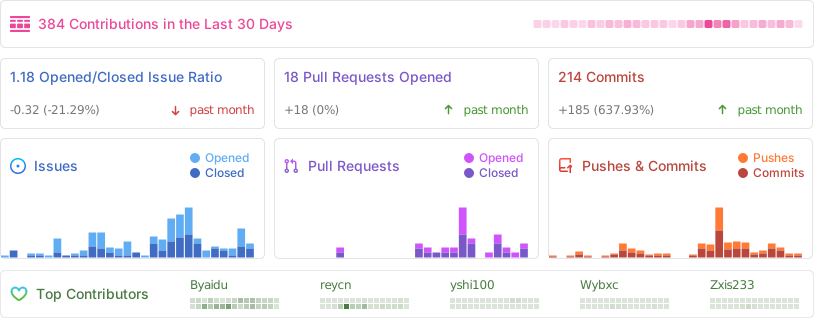
![Alt](https://repobeats.axiom.co/api/embed/dfa7583da5332a11468d686fbd29b92320a6a869.svg "Repobeats analytics image")

스타 히스토리

Star History Chart