
 Rongxin
8d5dfb2d02
doc (readme): bytedance color
Rongxin
8d5dfb2d02
doc (readme): bytedance color
|
1 year ago | |
|---|---|---|
| .github | 1 year ago | |
| docs | 1 year ago | |
| pdf2zh | 1 year ago | |
| .gitignore | 1 year ago | |
| Dockerfile | 1 year ago | |
| Dockerfile.Demo | 1 year ago | |
| LICENSE | 1 year ago | |
| README.md | 1 year ago | |
| README_zh-CN.md | 1 year ago | |
| app.json | 1 year ago | |
| setup.py | 1 year ago |
README.md

PDFMathTranslate






PDF scientific paper translation and bilingual comparison.
- 📊 Preserve formulas, charts, table of contents, and annotations (preview).
- 🌐 Support multiple languages, and diverse translation services.
- 🤖 Provides commandline tool, interactive user interface, and Docker
Feel free to provide feedback in GitHub Issues or Telegram Group.
Updates
- [Nov. 21 2024] GUI now supports downloading dual-document (by @reycn)
- [Nov. 20 2024] GUI now supports specifying Ollama and OpenAI models (by @IuvenisSapiens, @Byaidu)
- [Nov. 20 2024] 🌟 Demo online! (by @reycn)
- [Nov. 20 2024] Supports Docker (by @Byaidu)
- [Nov. 20 2024] Supports multiple-threads translation (by @Byaidu)
- [Nov. 19 2024] Provides an interactive graphical user interface (by @reycn)
- [Nov. 18 2024] Supports more services: DeepL, DeepLX, and Azure (by @reycn, @Hanaasagi)
Preview

Demo 🌟
You can try our demo on HuggingFace without installation.
Note that the computing resources of the demo are limited, so please avoid abusing them.
Installation and Usage
We provide three methods for using this project: Commandline, GUI, and Docker.
Method I. Commandline
- Python installed (3.8 <= version <= 3.12)
Install our package
pip install pdf2zhUse:
pdf2zh document.pdf
Method II. GUI
- Python installed (3.8 <= version <= 3.12)
Install our package
pip install pdf2zhStart using in browser:
pdf2zh -iIf your browswer has not been started automatically, goto
http://localhost:7860/
See documentation for GUI for more details.
Method III. Docker
Pull and run:
docker pull byaidu/pdf2zh
docker run -p 7860:7860 byaidu/pdf2zh
Open in browser:
http://localhost:7860/
For docker deployment on cloud service:




Advanced Options
Execute the translation command in the command line to generate the translated document example-zh.pdf and the bilingual document example-dual.pdf in the current directory. Use Google as the default translation service.

In the following table, we list all advanced options for reference:
| Option | Function | Example |
|---|---|---|
-i |
Enter GUI | pdf2zh -i |
-p |
Partial document translation | pdf2zh example.pdf -p 1 |
-li |
Source language | pdf2zh example.pdf -li en |
-lo |
Target language | pdf2zh example.pdf -lo zh |
-s |
Translation service | pdf2zh example.pdf -s deepl |
-t |
Multi-threads | pdf2zh example.pdf -t 1 |
-f, -c |
Exceptions | pdf2zh example.pdf -f "(MS.*)" |
Some services require setting environmental variables. Please refer to ChatGPT for how to set environment variables.
Full / partial document translation
Entire document
pdf2zh example.pdfPart of the document
pdf2zh example.pdf -p 1-3,5
Specify source and target languages
See Google Languages Codes, DeepL Languages Codes
pdf2zh example.pdf -li en -lo ja
Translate with Different Services
- DeepL
See DeepL
Set ENVs to construct an endpoint like: {DEEPL_SERVER_URL}/translate
DEEPL_SERVER_URL(Optional), e.g.,export DEEPL_SERVER_URL=https://api.deepl.comDEEPL_AUTH_KEY, e.g.,export DEEPL_AUTH_KEY=xxxpdf2zh example.pdf -s deeplDeepLX
See DeepLX
Set ENVs to construct an endpoint like: {DEEPL_SERVER_URL}/translate
DEEPLX_SERVER_URL(Optional), e.g.,export DEEPLX_SERVER_URL=https://api.deeplx.orgDEEPLX_AUTH_KEY, e.g.,export DEEPLX_AUTH_KEY=xxxpdf2zh example.pdf -s deeplxOllama
See Ollama
Set ENVs to construct an endpoint like: {OLLAMA_HOST}/api/chat
OLLAMA_HOST(Optional), e.g.,export OLLAMA_HOST=https://localhost:11434pdf2zh example.pdf -s ollama:gemma2LLM with OpenAI compatible schemas (OpenAI / SiliconCloud / Zhipu)
See SiliconCloud, Zhipu
Set ENVs to construct an endpoint like: {OPENAI_BASE_URL}/chat/completions
OPENAI_BASE_URL(Optional), e.g.,export OPENAI_BASE_URL=https://api.openai.com/v1OPENAI_API_KEY, e.g.,export OPENAI_API_KEY=xxxpdf2zh example.pdf -s openai:gpt-4oAzure
Following ENVs are required:
AZURE_APIKEY, e.g.,export AZURE_APIKEY=xxxAZURE_ENDPOINT, e.g,export AZURE_ENDPOINT=https://api.translator.azure.cn/AZURE_REGION, e.g.,export AZURE_REGION=chinaeast2pdf2zh example.pdf -s azure
Translate wih exceptions
Use regex to specify formula fonts and characters that need to be preserved.
pdf2zh example.pdf -f "(CM[^RT].*|MS.*|.*Ital)" -c "(\(|\||\)|\+|=|\d|[\u0080-\ufaff])"
Specify threads
Use -t to specify how many threads to use in translation:
pdf2zh example.pdf -t 1
Acknowledgements
Document merging: PyMuPDF
Document parsing: Pdfminer.six
Document extraction: MinerU
Multi-threaded translation: MathTranslate
Layout parsing: DocLayout-YOLO
Document standard: PDF Explained, PDF Cheat Sheets
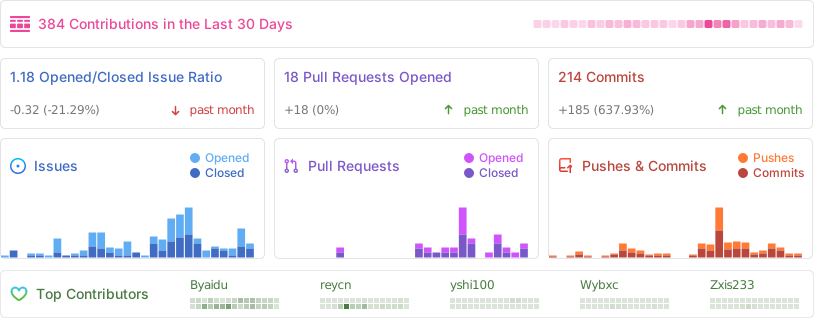
Contributors

Star History